

Get Started with Tapifi
Your Digital Identity, Reimagined. Follow these simple steps to verify, activate, and start sharing with your Tapifi Smart Chip.

Where to Tap Your Chip
For a seamless experience, ensure you're tapping the chip against the correct NFC scanner location on your device.
Chip placement note: If you are sticking the Tapifi NFC chip on your phone or phone case, do not place it over the NFC scanner position shown below for your device. Keep that area clear so your phone can read NFC tags properly.
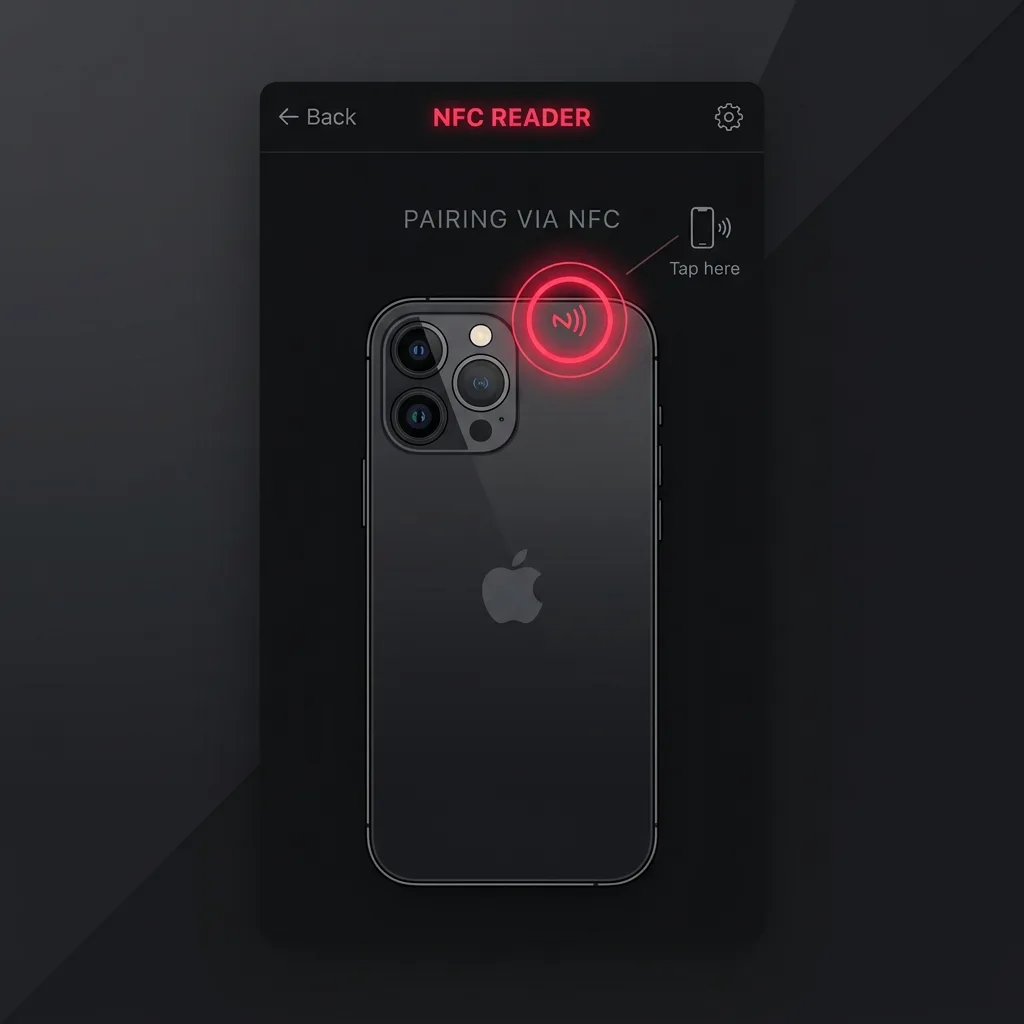
iPhone
The NFC scanner is located at the very top edge on the back of all compatible iPhones.
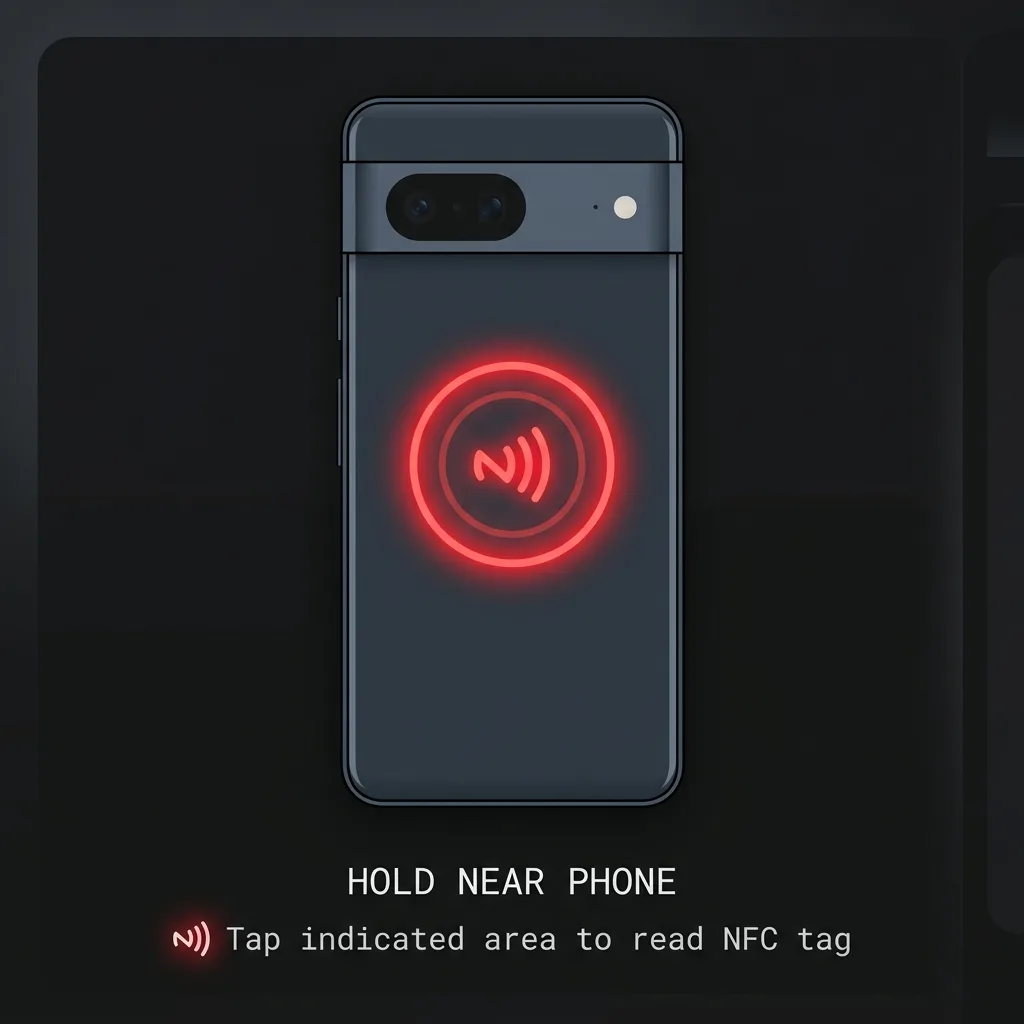
Android
Most Android phones have the NFC scanner located in the center/middle of the back plate.
Pro Tip:Ensure your phone screen is ON and UNLOCKED for the NFC scanner to be active.
1. Download the App
Download the Tapifi Android app directly, or get Tapifi from the App Store. Create your account with your email.
2. Verify Your Email
Check your inbox for a verification OTP and enter it in the app to activate your account.
3. Verify Your Chip
Hold your Tapifi NFC chip to the back of your phone (top edge for iPhones, middle-back for Androids). The app confirms it is a valid Tapifi chip before activation.
4. Activate Your Profile
Hold the chip against your phone's NFC scanner until the Tapifi dashboard opens automatically. Activation writes your public Tapifi profile URL to the NFC chip.
5. Build, Tap & Share
Add your photo, bio, links, and documents. Then hand your chip to anyone - they tap it and instantly see your live profile. No app needed for them.
Frequently Asked Questions
Everything you need to know about your Tapifi experience.